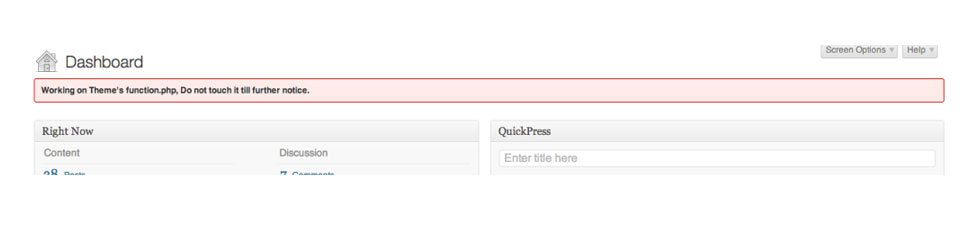

Show an urgent message in WordPress admin panel
When applying changes to a theme or plugin, you might want to let other WordPress
users know about it. This is especially useful if you have a theme or plugin that
requires an update, or has a dependency that you’d like to inform users about. The
following code snippet shows you how to add an error or status message to the top of
the WordPress admin panel.
Add this code to your theme’s functions.php file.
function showMessage($message, $errormsg = false)
{
  if ($errormsg) {
    echo '<div id="message">';
  }
  else {
    echo '<div id="message">';
  }
  echo '<p><strong>' . $message . '</strong></p></div>';
}
function showAdminMessages()
{
  showMessage("Working on Theme's function.php, Do not touch it till further notice.", true);
}
add_action('admin_notices', 'showAdminMessages');
The Message is being wrapped in WordPress’s default admin classes, this will apply the generic alert style to your notification.
Just change the string in the showMessage() function to put your desired notification or error message. You can also insert HTML to add links or other styles to your messages, this is especially useful if you want to link to a change log, or maybe a required plugin/update for your theme.
The screenshot below shows how the message will appear in the admin panel.
